Board
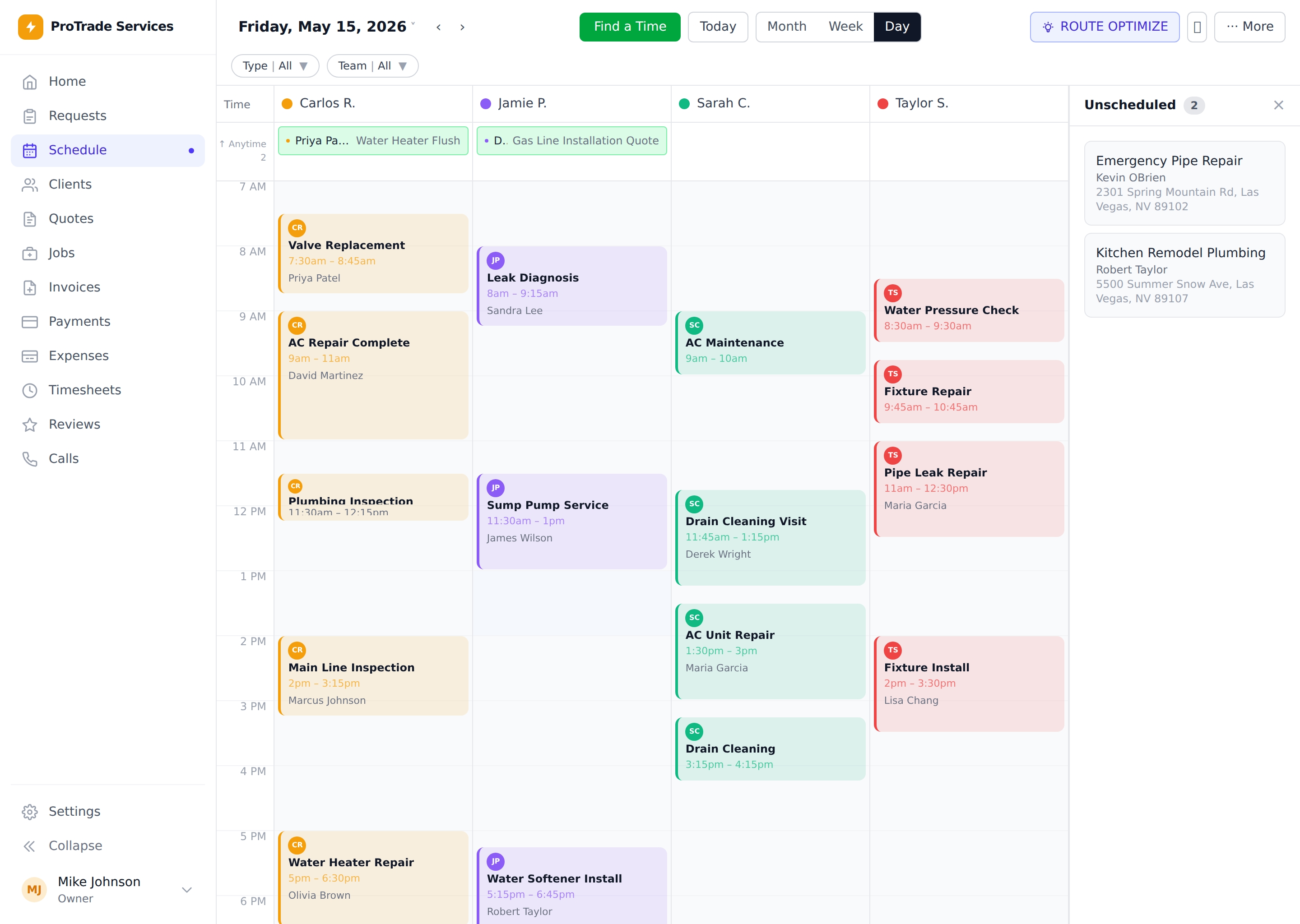
Live queue
Scheduled and unscheduled work stay together.ServiceKit feature
Dispatching
Dispatching is already built into ServiceKit. See open work, crew capacity, and field status in one owned system.
Give the office one place to decide who should take the next job.
Buying is coming soon. Inspect the finished workflow and ownership model now.
 Owned source
Board
Live queue
Scheduled and unscheduled work stay together.Decision
Next tech
Capacity and location are visible before the call.Result
Fewer calls
Dispatch work without checking every phone.What to look for
Dispatch works when the office can see the next bottleneck before customers start calling.
The office can see which technician should take the job and why.
New work stays in the queue until someone owns it.
What this replaces
Dispatch works when the office can see the next bottleneck before customers start calling.
See which jobs still need a tech.
Move priority work without losing the rest of the day.
Keep field and office work connected.
Reduce the number of calls needed to run the schedule.
How the workflow moves
New calls stay visible until someone owns them.
The day shows which techs are loaded and which can move.
Move the job to the right tech before it becomes a customer callback.
Office and techs work from the same job status.
The pieces you own
This workflow is included in the finished app. Use it on day one, then use AI assistance to adapt its fields and rules when your shop needs something different.
A visible holding lane for work that still needs a person.
Enough context to make a dispatch call without another meeting.
Use geography and route logic without giving up source control.
The job status moves with the field instead of getting trapped in calls.
Owned-system benefit
Use the guided AI path to adapt routing, capacity, and assignment rules to the way your shop dispatches.
Route logic can be changed for your business.
Your field status data is not locked in another vendor account.
You can build custom dispatch rules later with AI help.
What to connect next
Scheduling
Scheduling is already built into ServiceKit. Buy the app once, put every job on one board, and let AI help adapt the rules to your shop.
Open feature
Mobile field work
The finished ServiceKit PWA works from the phones your technicians already carry. No App Store queue and no ServiceKit seat fee.
Open feature
ServiceKit launch list
$349 planned launch price. Finished app, guided AI setup, source you control, and no ServiceKit seat fees. Buying opens after the launch checks are complete.