View
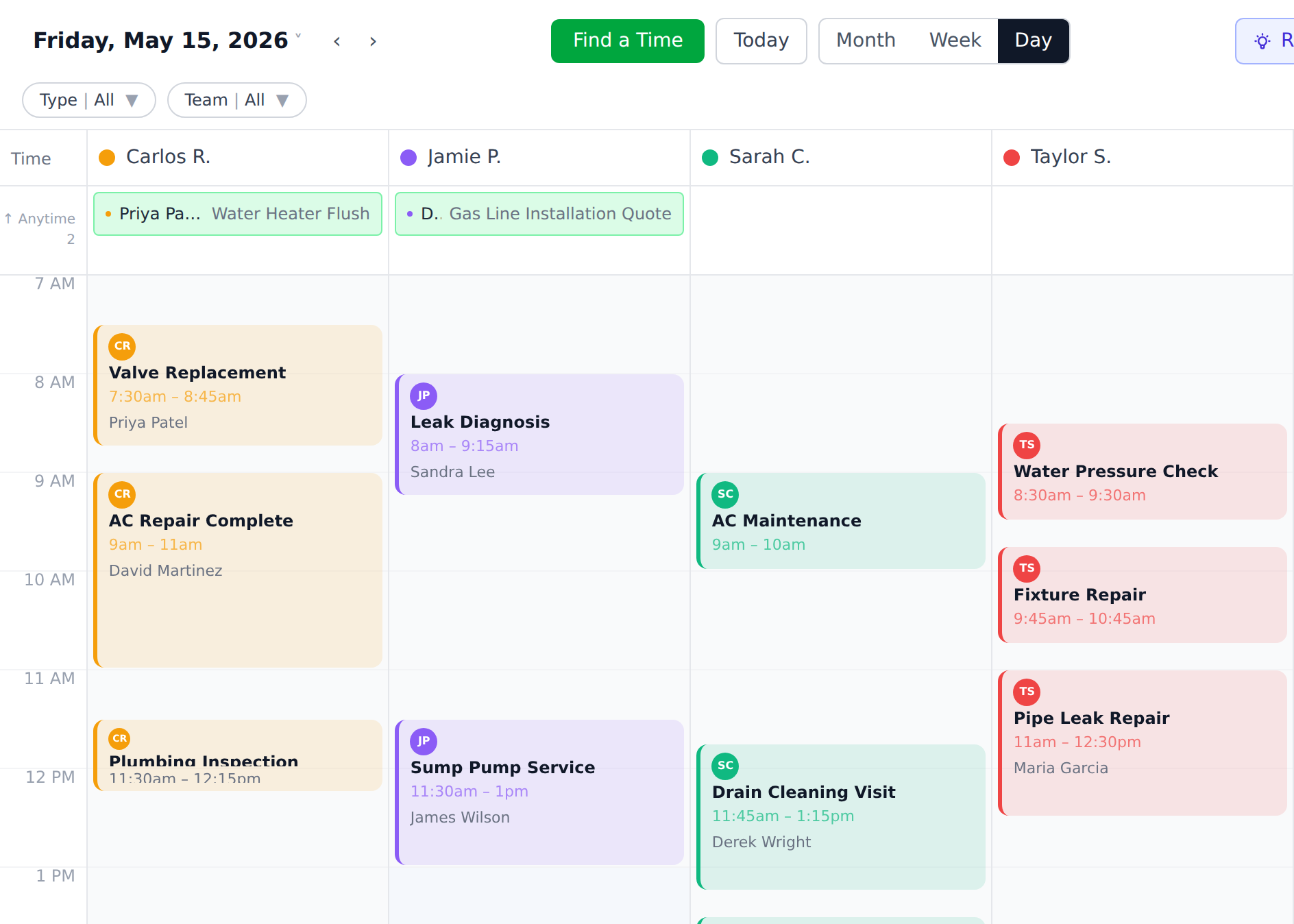
Day/week
Move work without rebuilding the schedule.ServiceKit feature
Scheduling
Scheduling is already built into ServiceKit. Buy the app once, put every job on one board, and let AI help adapt the rules to your shop.
Turn the day from a stack of calls into a board the office can actually run.
Buying is coming soon. Inspect the finished workflow and ownership model now.
 Owned source
View
Day/week
Move work without rebuilding the schedule.Assignment
Tech owned
Every job has a person before it hits the field.First win
No mystery jobs
Open work stays visible until it is closed.What to look for
The first win is simple: every open job has a place, an owner, and a visible next move.
Jobs, technician columns, open work, and status live on one board.
The schedule shows who is responsible and what blocks the next move.
What this replaces
The first win is simple: every open job has a place, an owner, and a visible next move.
Assign work without calling every tech.
Keep open jobs visible until they are done.
Move work when the customer, crew, or weather changes.
Let the schedule become a system instead of a daily rebuild.
How the workflow moves
New work lands in the system with customer, property, notes, and status.
Drag work into the day or week view where everyone can see capacity.
Put the job with the person responsible for showing up and updating it.
Weather, parts, and customer changes become a schedule update, not a phone tree.
The pieces you own
This workflow is included in the finished app. Use it on day one, then use AI assistance to adapt its fields and rules when your shop needs something different.
The core board for seeing what is booked, what moved, and what is still open.
Every scheduled item carries a clear person and next step.
Customer and job notes stay attached instead of living in texts.
Schedule history stays in your database for future planning.
Owned-system benefit
Use the guided AI path to adapt scheduling rules, fields, and views after the finished app is live.
The calendar runs on your server.
Your job history stays in your database.
Add users without paying per seat.
What to connect next
Dispatching
Dispatching is already built into ServiceKit. See open work, crew capacity, and field status in one owned system.
Open feature
Job costing
Labor, expenses, receipts, and revenue stay attached to the job in ServiceKit. Price the next quote from real cost history.
Open feature
ServiceKit launch list
$349 planned launch price. Finished app, guided AI setup, source you control, and no ServiceKit seat fees. Buying opens after the launch checks are complete.