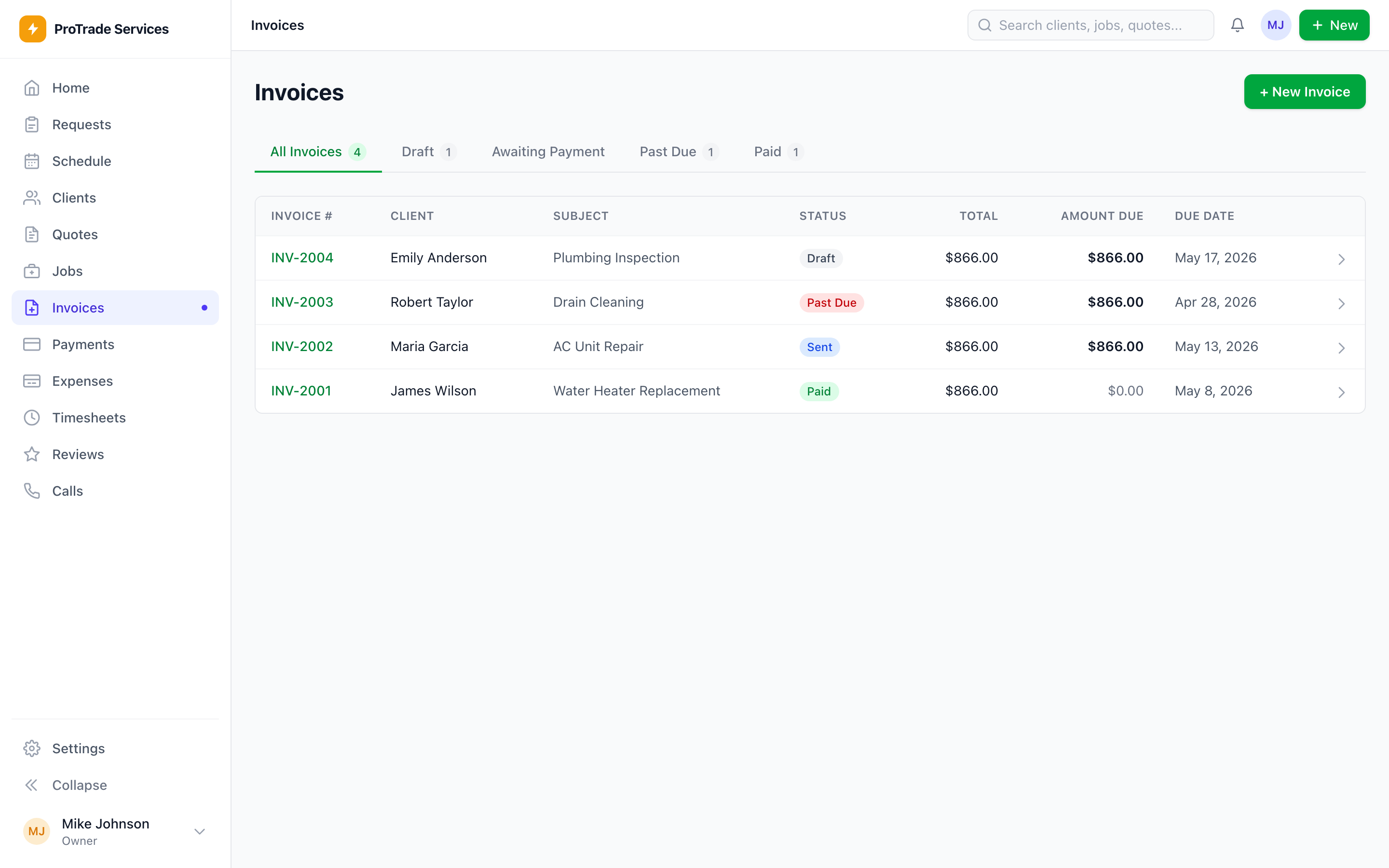
Invoices
Visible
Paid, sent, draft, and past-due status in one list.ServiceKit feature
Payments
Invoicing and payments are built into the finished app. Send the invoice, take payment, and keep the job and revenue in one system.
Get the invoice out before payment momentum disappears.
Buying is coming soon. Inspect the finished workflow and ownership model now.
 Owned source
Invoices
Visible
Paid, sent, draft, and past-due status in one list.Payments
Stripe
Money goes through the buyer-owned Stripe account.Follow-up
Unpaid work
The office can see what still needs a nudge.What to look for
Stripe handles card payments. ServiceKit keeps the job and payment context together.
Paid, sent, draft, and overdue work appears in the same view.
Your Stripe account processes the money. KapKit does not sit in the payment flow.
What this replaces
Stripe handles card payments. ServiceKit keeps the job and payment context together.
Send payment links after the job.
Record cash and check payments without losing the job record.
See unpaid invoices before they become awkward calls.
Keep revenue tied to the work that produced it.
How the workflow moves
The invoice is tied to the work that created it.
Card payments run through the buyer Stripe account.
Cash and check payments still update the job record.
Overdue invoices are visible before they turn into awkward calls.
The pieces you own
This workflow is included in the finished app. Use it on day one, then use AI assistance to adapt its fields and rules when your shop needs something different.
Draft, sent, paid, and overdue states are visible without another billing app.
The buyer controls the payment processor and receives the funds.
Offline payment does not mean offline job history.
Invoices stay attached to customer, job, and reporting data.
Owned-system benefit
Use the guided AI path to adapt invoice copy, payment rules, and follow-up timing after setup.
Your Stripe account receives the money.
Your invoice history stays in your database.
You can change invoice copy and workflow later.
What to connect next
AI quoting
AI-assisted quoting is built in. Turn site notes and photos into an editable first draft while you keep control of the scope, price, and send button.
Open feature
Reporting
ServiceKit reports from the jobs, invoices, customers, and team activity already inside your app. No extra reporting tier required.
Open feature
ServiceKit launch list
$349 planned launch price. Finished app, guided AI setup, source you control, and no ServiceKit seat fees. Buying opens after the launch checks are complete.